
Portfolio management
Portfolio visualizations
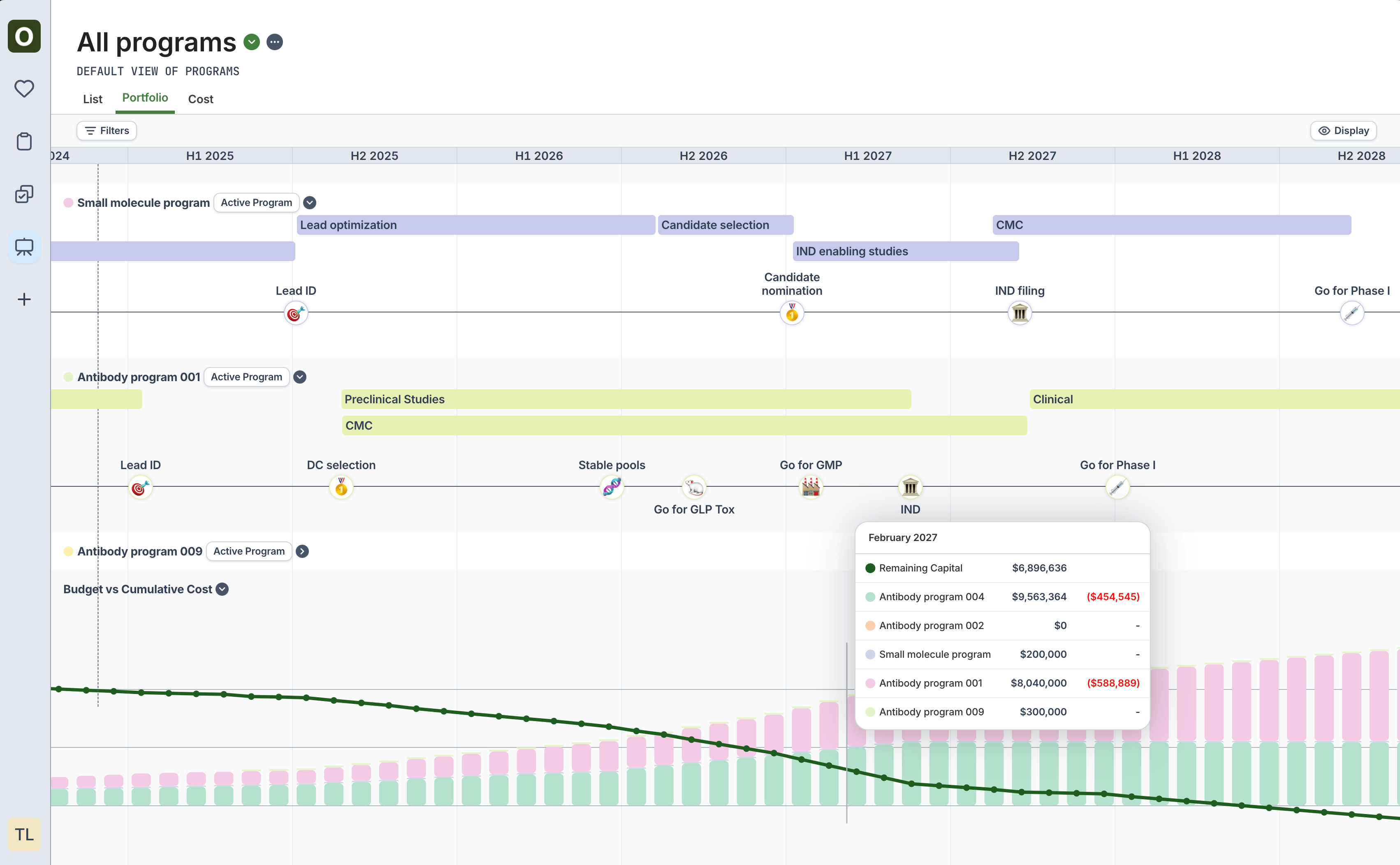
To view the timelines and milestones of all Programs together, navigate to the Programs sidebar icon, and click the Portfolio tab.
Use the Filters to choose which Programs to include in the view, and use the Display button on the top right to customize the view further.
The bottom of the portfolio page displays the cumulative cost of programs in the portfolio over time.
(Use the Budget field on individual program’s overview tab to adjust the starting capital displayed)