
Portfolio export
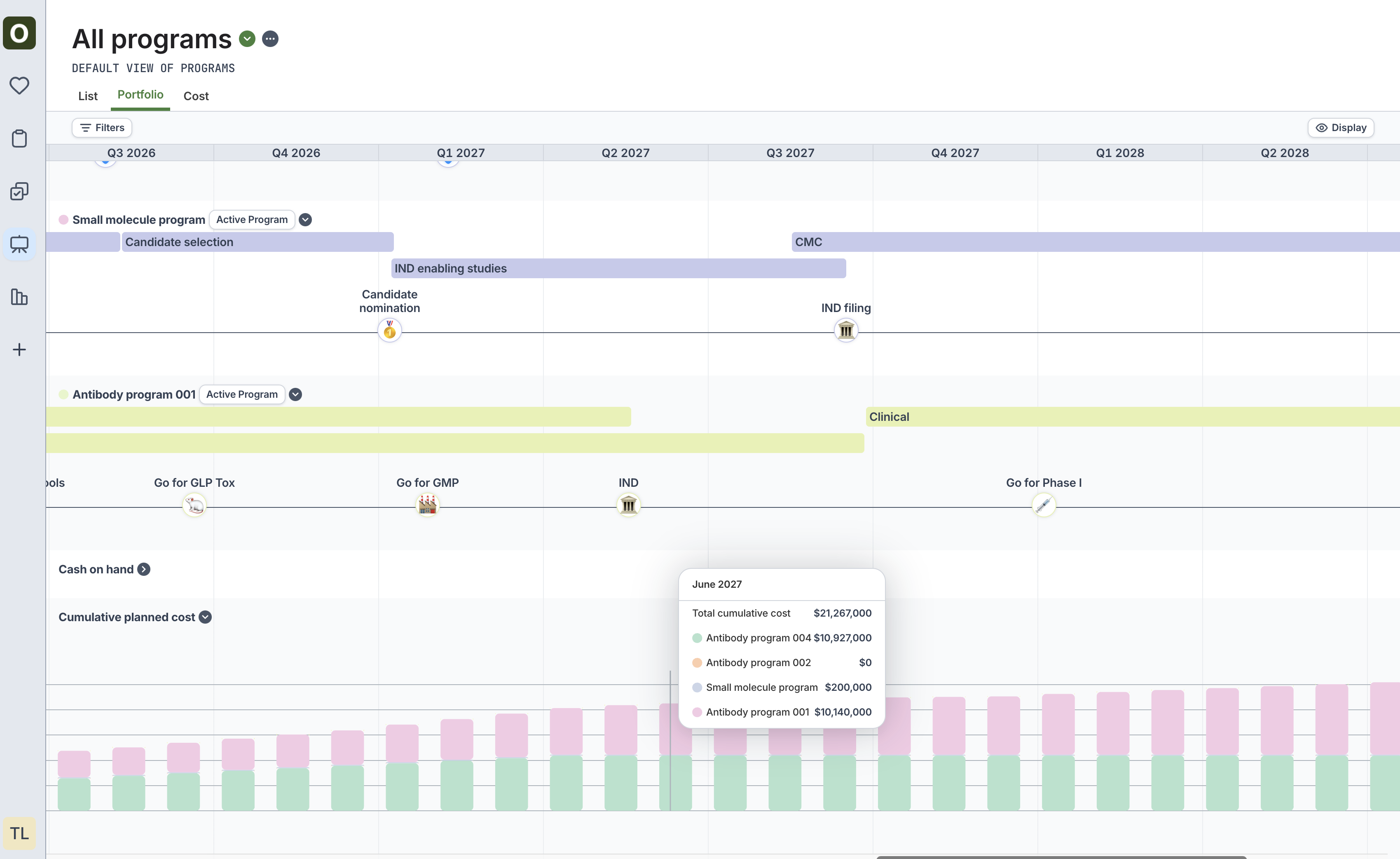
- You can now export the Portfolio tab (which can be accessed from All programs > the Portfolio tab).
- Use this tab to visualize all of the programs across your portfolio.
Updated project cost tab
The Cost tab on All projects now shows the amortized cost of tasks across projects. Previously, it only showed the total cost on the last month of the project.SVG export
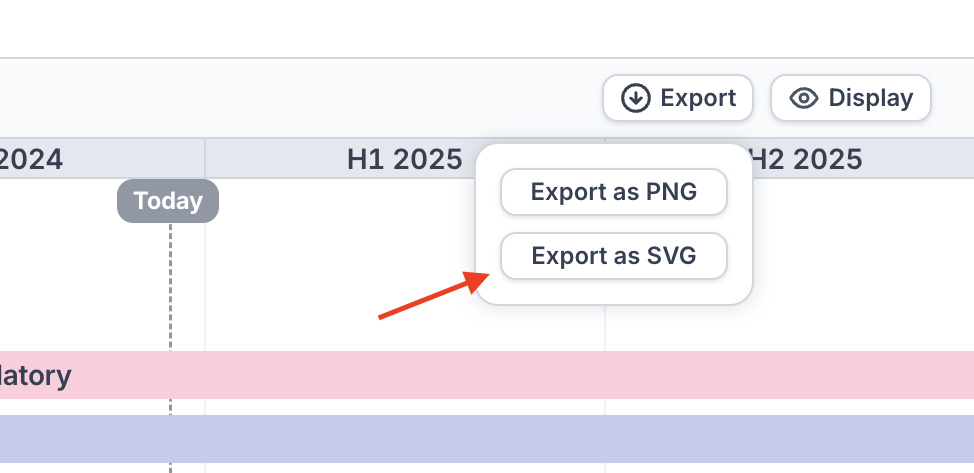
Only available on non-Safari browsers- Certain visualizations (program summaries, program and project timelines) can now be exported as an SVG
- This allows you to import the visualization into a PowerPoint slide and make edits to the text, colors, and shapes as required
Additional manipulation and editing within PowerPoint may still be necessary.
- Select the imported SVG > right-click > “Ungroup”
- Adjust the text, colors, and other elements as necessary
- Common adjustments include needing to rescale the ungrouped objects and adjusting the text size
Stage summaries
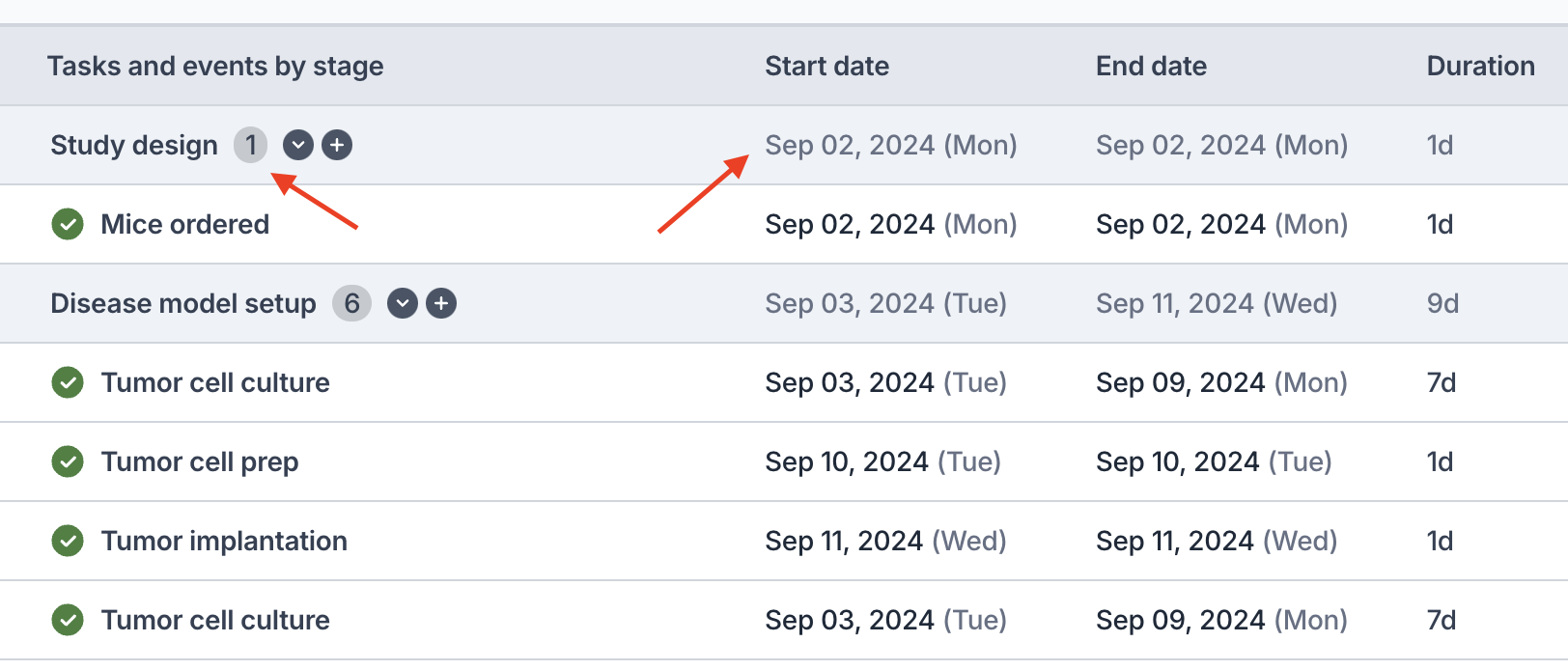
- The summary bar for a project or program stage now displays:
- The total number of items in the stage
- The earliest start date and the latest end date in the stage
- The duration (span) of the stage
- This will make it easier for you to quickly see important information about a given project or program stage
Update task dates from project
- We previously implemented a feature to update the dates of an objective to match its sub-project’s dates. We’ve now extended the feature to tasks with sub-projects as well.
Performance improvements
- A variety of performance improvements throughout the product
- In particular, the All projects listing page now loads much faster.
Bug fixes
- Fixed bug where the stage selection dropdown did not always work as expected when creating a new task
- Fixed bug where exporting PNGs in Safari did not always export properly
- Fixed bug where dragging and dropping tasks / objectives would sometimes reorder other tasks / objectives
- Fixed bug where Project and Program filters on All tasks / All projects were not working as expected in Saved Views
- If you previously had a Saved View with a project or program filter, you may need to remake it
Improved datepicker
- We’ve made major improvements to the user experience of using the datepicker
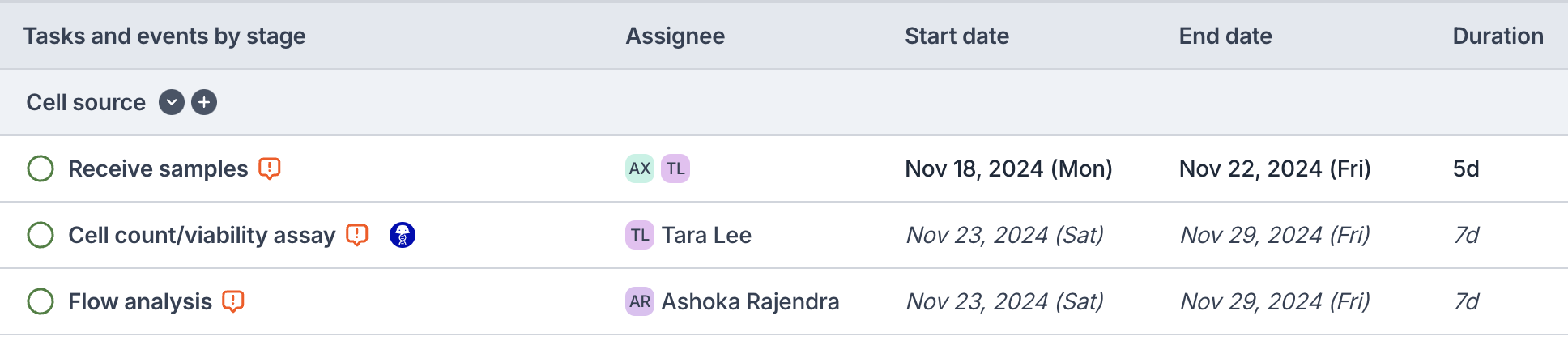
- The datepicker is now more intuitive when updating the start date, end date, or duration
- We’ve replaced the icons next to the dates to represent whether the date is computed or not
- Dates in italics now represent calculated dates from dependencies
- Non-italicized dates indicate chosen dates or dates for tasks / objectives that are not pending
Sync Objective dates to project dates
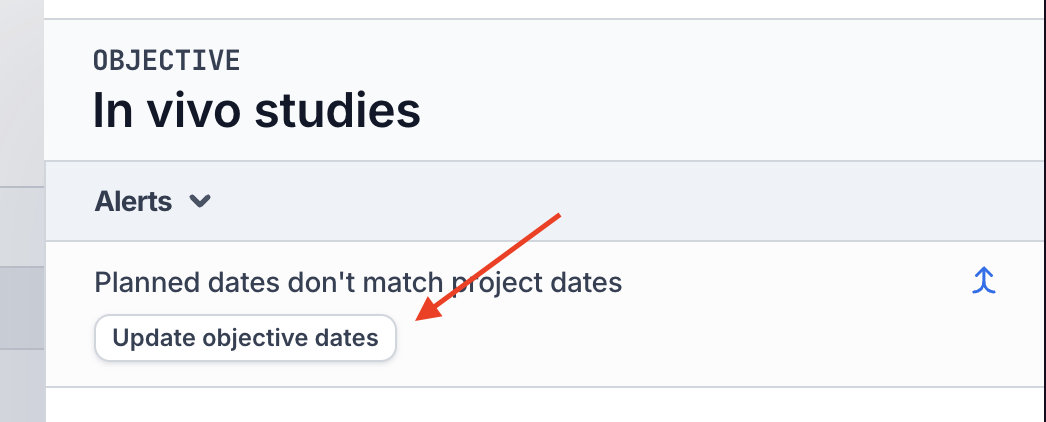
- We understand that building out a project is sometimes used to determine the Objective’s “planned dates”
- If the Objective’s “planned dates” do not match its project’s dates, you can now click the Update objective dates to update the objective’s dates
- The same feature is available for updating planned objective costs
Project timeline redesign
- For an individual project, view the Timeline tab to see the cleaner timeline design that we have rolled out.
- This timeline offers more customization options (use the Display button at the top right) to view the tasks in a project
Bug fixes
- Fixed bug where bulk deleting tasks from a duplicated project caused errors
Portfolio tab on programs
New “Portfolio” tab on Programs allows users to toggle between program scenarios to view all programs’ stage and key event data at once- See cumulative cost and breakdown of that cost at a given time
- Pick a scenario from the program selector to see how different permutations of scenarios can affect cash and cost
Program timeline redesign
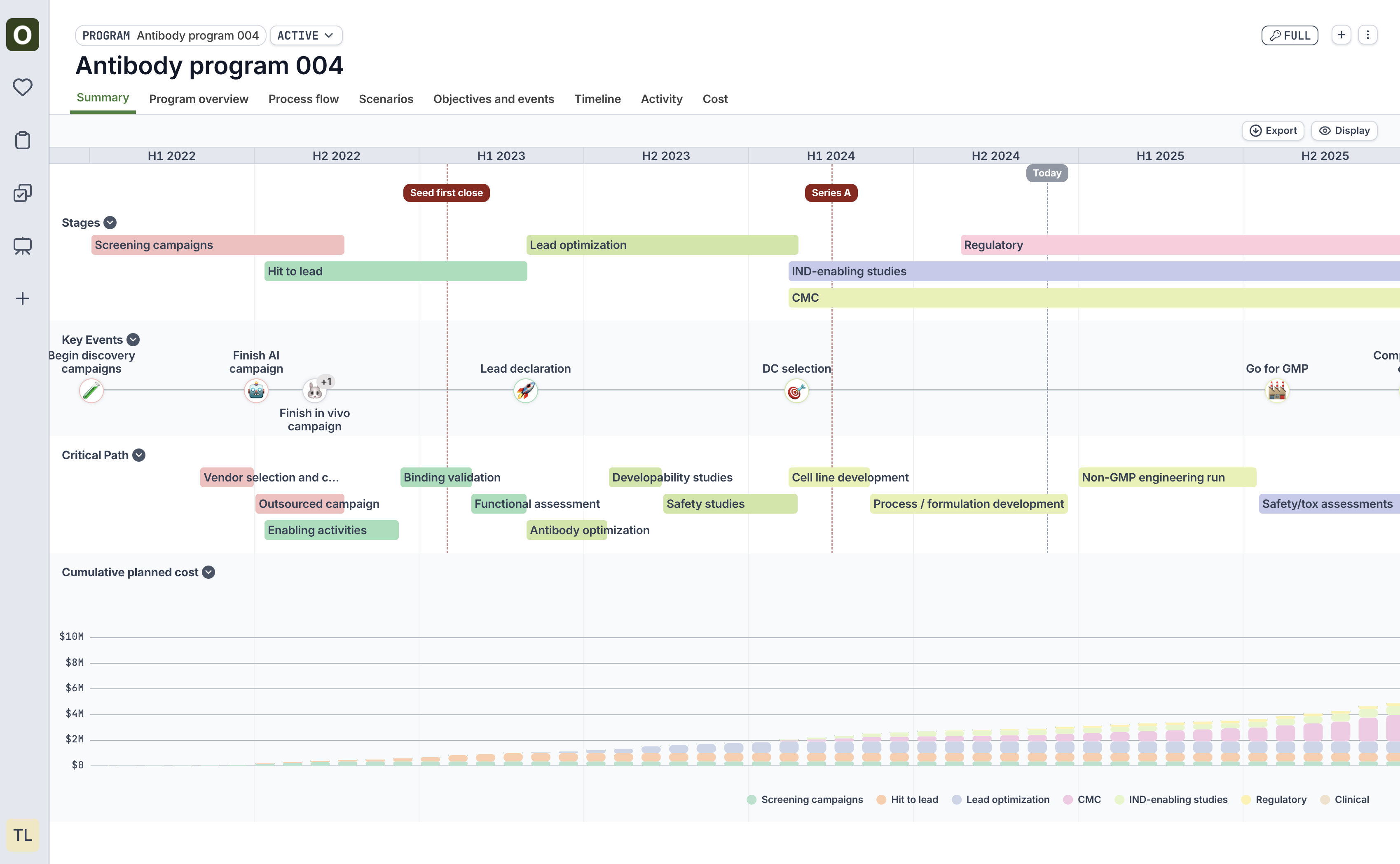
The new program timeline view now allows users to choose stacked vs. condensed for a more customized view of the timeline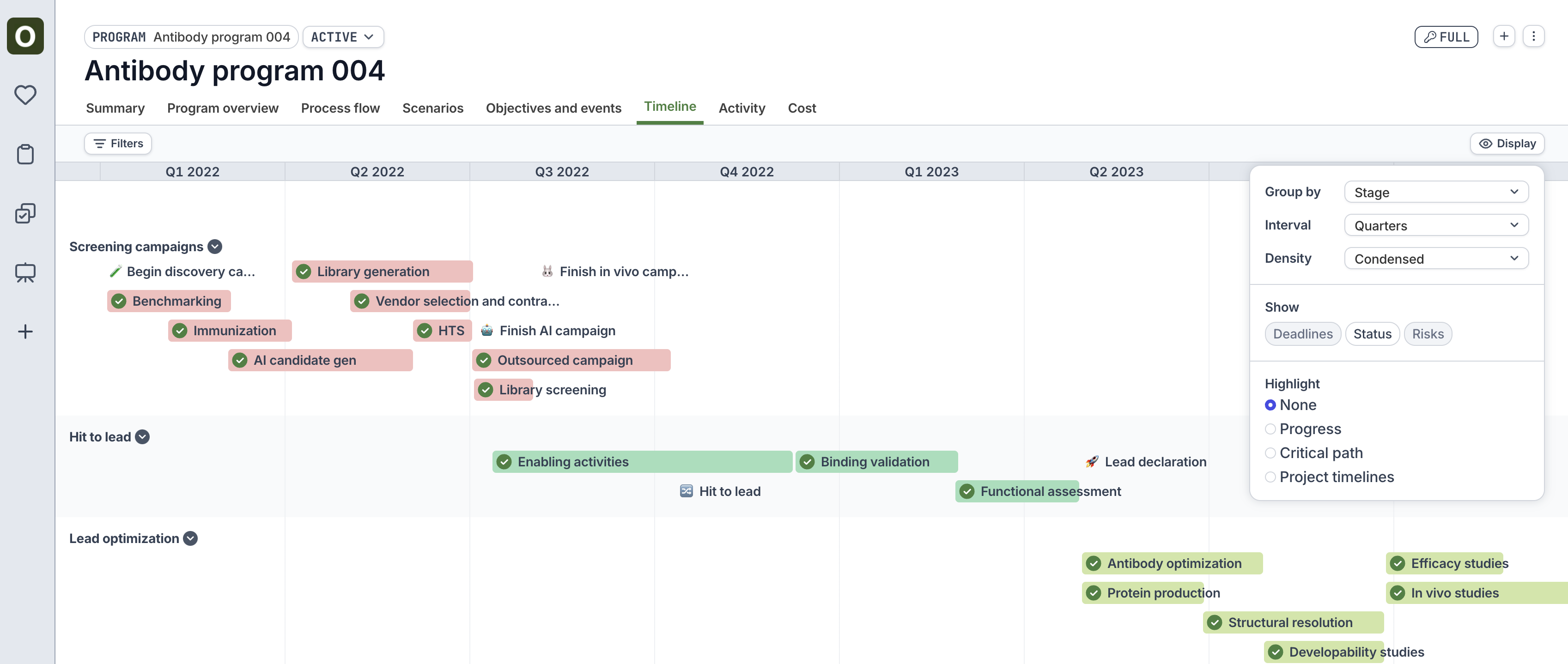
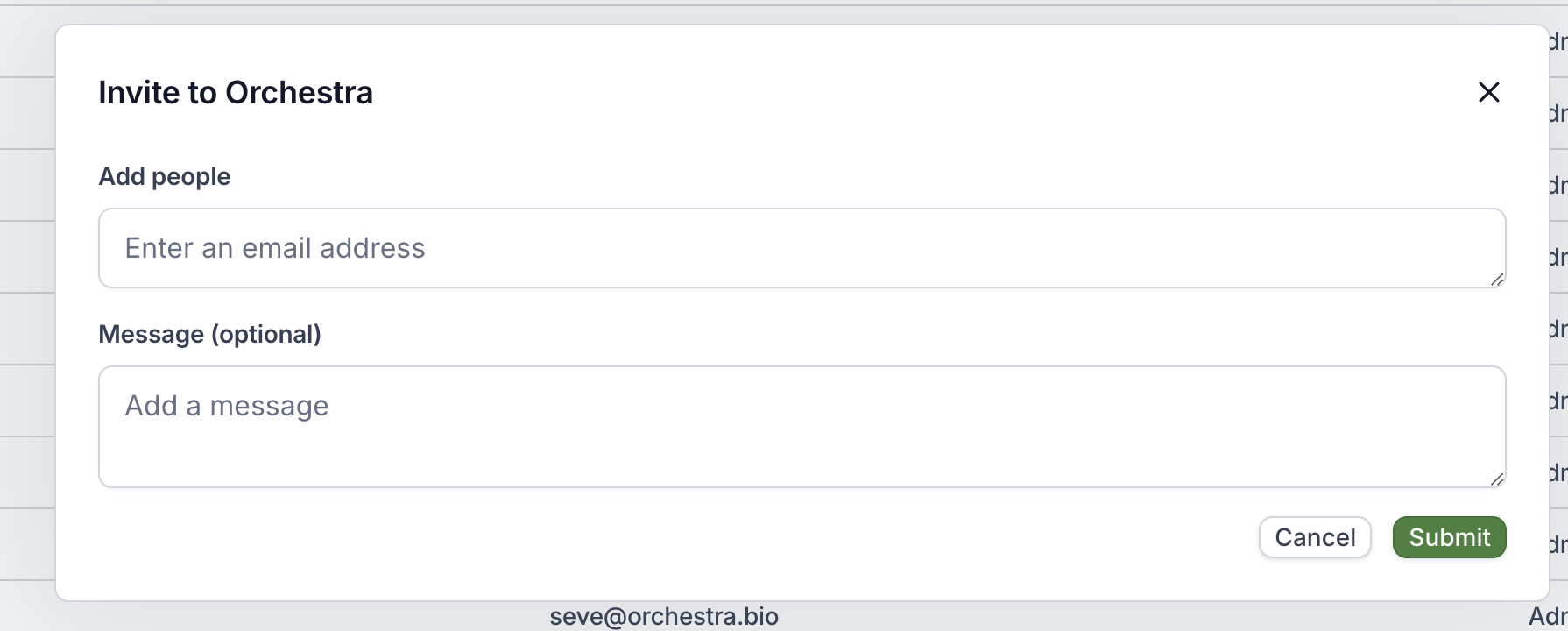
External collaborators
- External collaborators can now be invited to your Orchestra organization by organization admins
- See User management for more information
Bug fixes
- Fixed a bug to accurately display the duration on the project preview card from a task or objective
Tag categories
- Tag categories are now available to more easily organize your organization’s tags.
- Manage your tags via the Organization Settings page (only available to Admins).
Objective sidepanel now displays Project metadata
- This allows you to more easily see if dates or status are mismatched
- Project now includes % complete, which is a time-weighted calculation of the completed tasks within a project
- Additionally, you can toggle on Objective metadata from the Project Overview tab to see side-by-side date and cost information
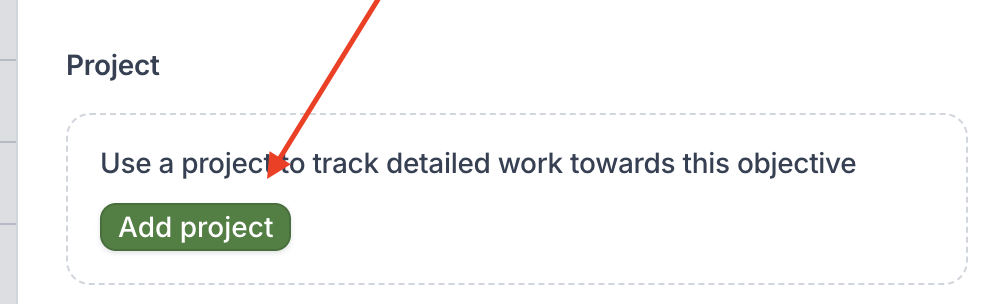
Improved UX for attaching project to Objective
- We updated the wording of the options to make it more clear
- We now include an option to “Create a new copy of an existing project”
Performance improvements
We improved performance throughout the Orchestra product.Bug fixes
- Fixed bug where we were incorrectly showing a “risk” when the end date of the objective was the same as the end date of the project
- Horizontal scroll bar is now present without needing to scroll all the way to the bottom of the page
- Duplicating tasks now works properly in the expanded Objective’s “Project tasks and events” tab
- “Won’t Do” is now included in all status filters
Visualization improvements
- Major visual improvements to program summary charts
- Cost charts are now displayed on program scenarios as well as the program summary tab
Assign tasks to multiple users
Filters for “All tasks” can be adjusted to account for multiple assignees as well.Bulk set stage and tags
- Bulk set Stage on tasks within a project
- Bulk set Tags on tasks within a project
Bug fixes
- Users can now properly update the method of a task after removing a fulfillment project
- Notification emails are now properly sent to users when they are marked as the assignee of a task
- When creating a new task, the modals to add “repeats” and “tags” are no longer cut off
- Tags now properly save upon task creation