> ## Documentation Index
> Fetch the complete documentation index at: https://docs.orchestra.bio/llms.txt
> Use this file to discover all available pages before exploring further.
# Release Notes 2025
Refresh your browser to see the latest product updates and bug fixes
### Timeline zoom
* Use the + / - buttons on the right side of the Timeline tab for a Project or a Program to more conveniently zoom in and out of the timeline
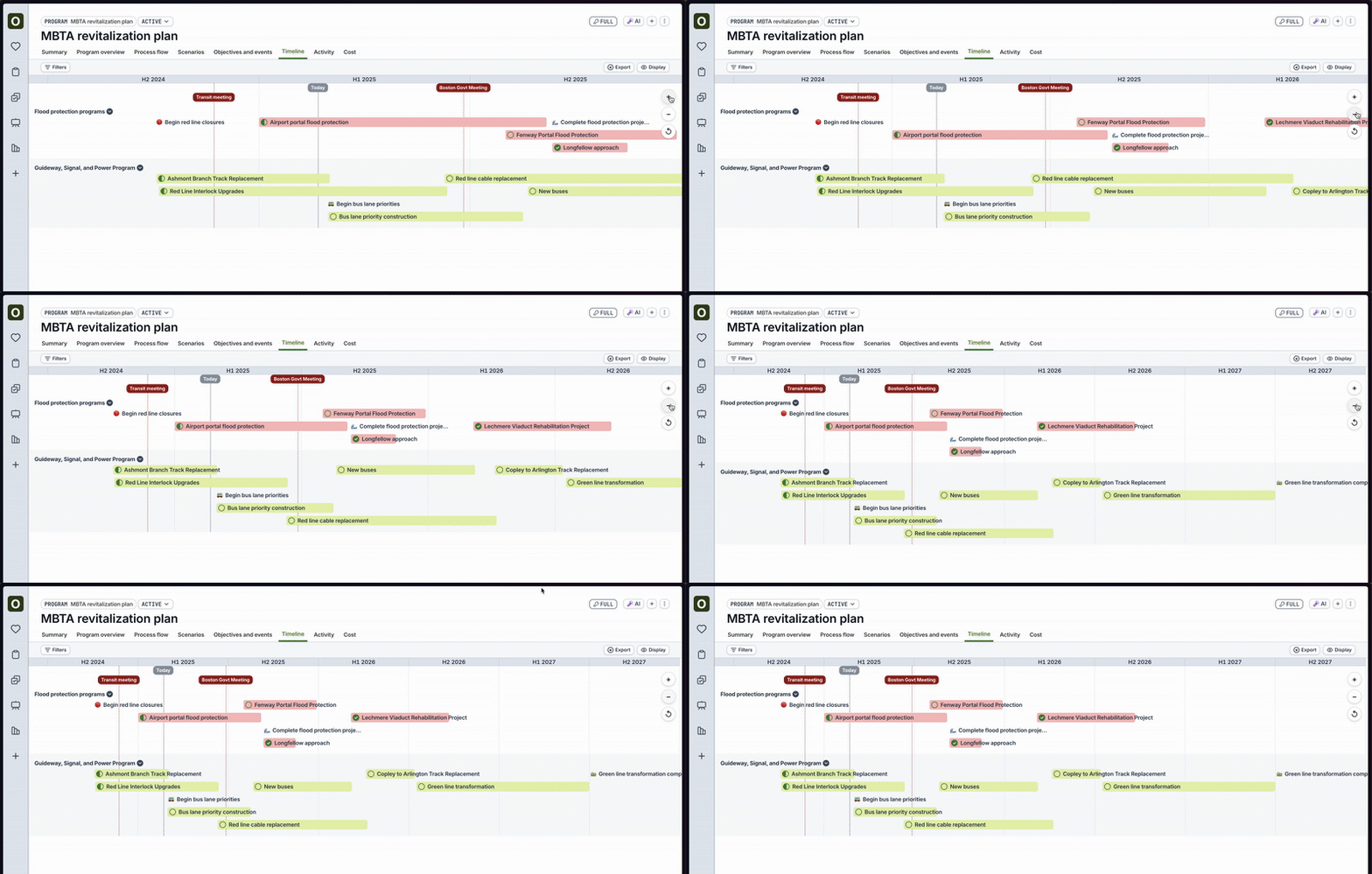 ### Visual polish for timeline expansion
* Timeline bars now truncate text less than before
* Timeline expansion first expands into the sub-project's stage, and then the stage's tasks
* Visual polish for the timeline's highlight modes
### \[Opt-in beta customers only] AI beta improvements
Reach out to us if you would like to participate in the beta
* Now uses Google's Gemini 1.5 Pro to provide more detailed responses
* Conversation threading and conversation history are now available
* For Key Events, click on "Progress Report" to view a report of key risks and recommendations for a given key event
### Bug fixes
* Fixed bug where merging scenarios or creating scenarios occasionally caused errors
* Fixed bug where inviting users to a program or project would occasionally cause errors
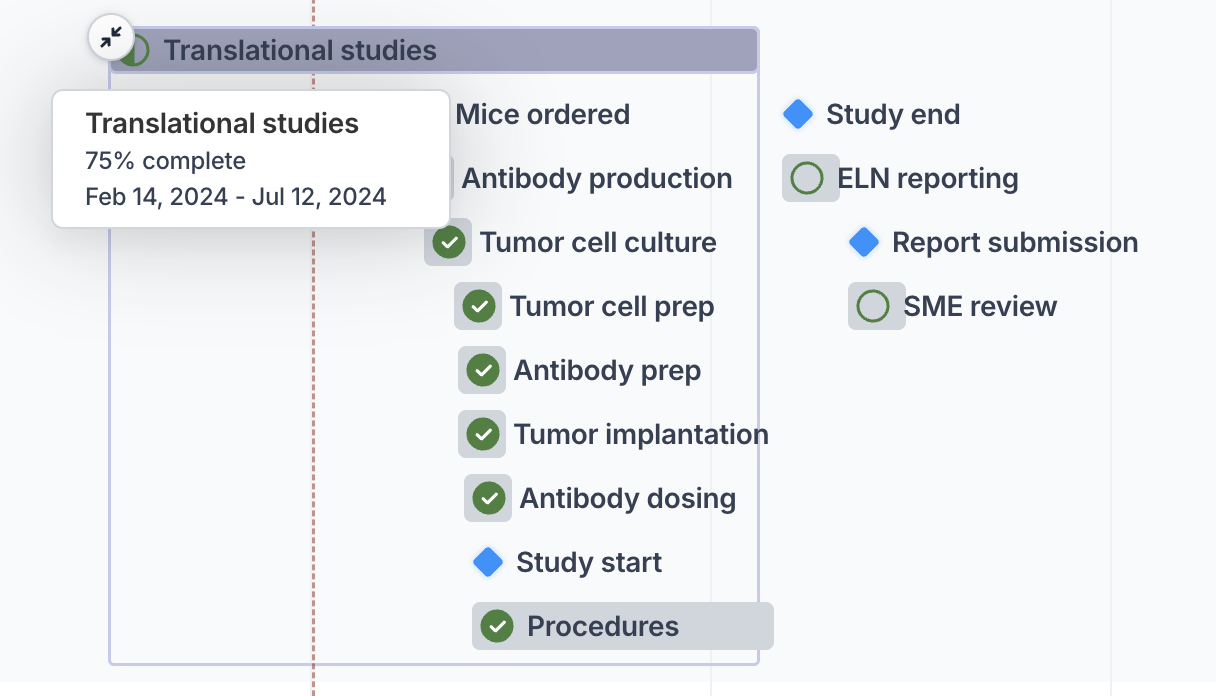
### Expand timeline bars with sub-tasks
* The timeline tab for projects and programs now allows you to expand the bar if the task or objective has a linked project with tasks
* See [Link projects to program plans](/programs/link-project) for more details on how to link a project
### Visual polish for timeline expansion
* Timeline bars now truncate text less than before
* Timeline expansion first expands into the sub-project's stage, and then the stage's tasks
* Visual polish for the timeline's highlight modes
### \[Opt-in beta customers only] AI beta improvements
Reach out to us if you would like to participate in the beta
* Now uses Google's Gemini 1.5 Pro to provide more detailed responses
* Conversation threading and conversation history are now available
* For Key Events, click on "Progress Report" to view a report of key risks and recommendations for a given key event
### Bug fixes
* Fixed bug where merging scenarios or creating scenarios occasionally caused errors
* Fixed bug where inviting users to a program or project would occasionally cause errors
### Expand timeline bars with sub-tasks
* The timeline tab for projects and programs now allows you to expand the bar if the task or objective has a linked project with tasks
* See [Link projects to program plans](/programs/link-project) for more details on how to link a project
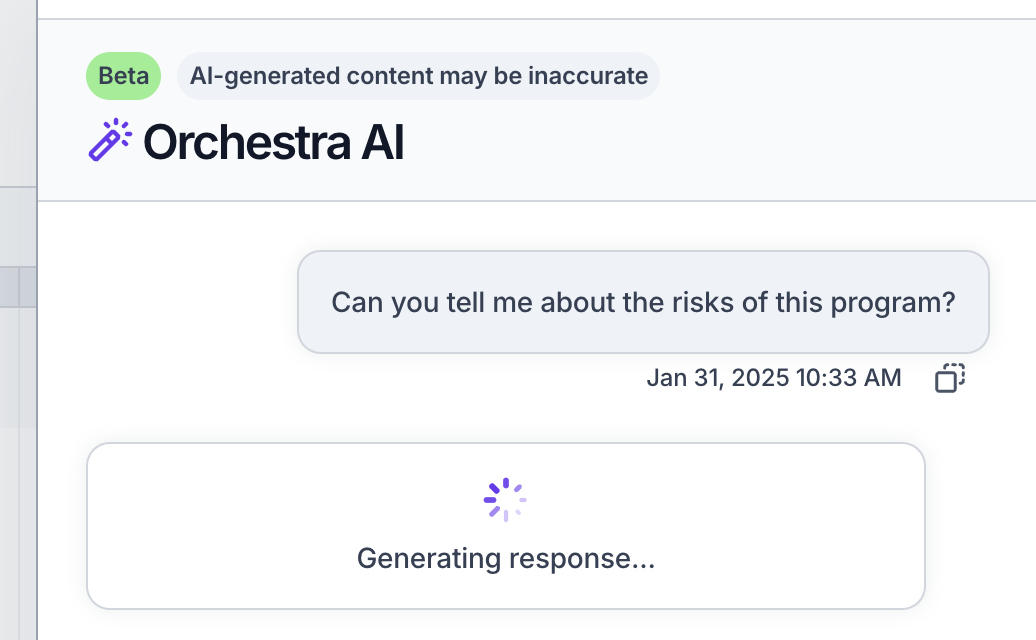
 ### \[Opt-in only] Orchestra AI beta now available
* We have launched a beta of an AI Q\&A chatbot to ask questions about your programs
* Reach out to us if you are interested in trying it out for more information
* Example questions you can ask the Q\&A bot include:
* "What risks do I have in my program?"
* "Give me a meeting agenda for my upcoming board meeting"
### \[Opt-in only] Orchestra AI beta now available
* We have launched a beta of an AI Q\&A chatbot to ask questions about your programs
* Reach out to us if you are interested in trying it out for more information
* Example questions you can ask the Q\&A bot include:
* "What risks do I have in my program?"
* "Give me a meeting agenda for my upcoming board meeting"
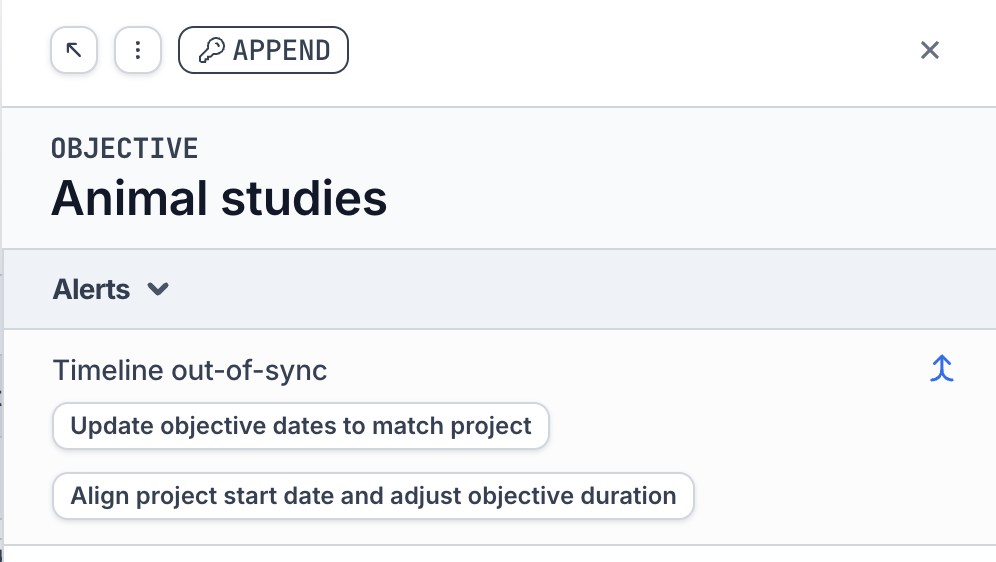
 ### Align project tasks to objective dates
Use this feature when the dates of the objective have changed, and you want to update the dates of its project's tasks
* Clicking **Align project start date and adjust objective duration** will shift all of the tasks in the project (and sub-tasks within it) such that the start date of the project matches the start date of the objective. It will also match the objective's duration to the project's duration.
* All tasks and sub-tasks within the project must be in a "Pending" state for this action to be allowed
### Align project tasks to objective dates
Use this feature when the dates of the objective have changed, and you want to update the dates of its project's tasks
* Clicking **Align project start date and adjust objective duration** will shift all of the tasks in the project (and sub-tasks within it) such that the start date of the project matches the start date of the objective. It will also match the objective's duration to the project's duration.
* All tasks and sub-tasks within the project must be in a "Pending" state for this action to be allowed
 ### New notification type
* Added a new type of notification for when the date of a task has changed and you are the assignee or stakeholder
* Note that you must enable this notification via your Settings. Previously selected notification settings may need to be manually updated.
### Bug fixes
* Fixed bug where the end date was not always saving properly upon entry
* Fixed bug where bulk actions on All Tasks page was not always working properly
* Fixed bug where key events were sometimes slightly off in the timeline
### New notification type
* Added a new type of notification for when the date of a task has changed and you are the assignee or stakeholder
* Note that you must enable this notification via your Settings. Previously selected notification settings may need to be manually updated.
### Bug fixes
* Fixed bug where the end date was not always saving properly upon entry
* Fixed bug where bulk actions on All Tasks page was not always working properly
* Fixed bug where key events were sometimes slightly off in the timeline