> ## Documentation Index
> Fetch the complete documentation index at: https://docs.orchestra.bio/llms.txt
> Use this file to discover all available pages before exploring further.
# Portfolio scenarios
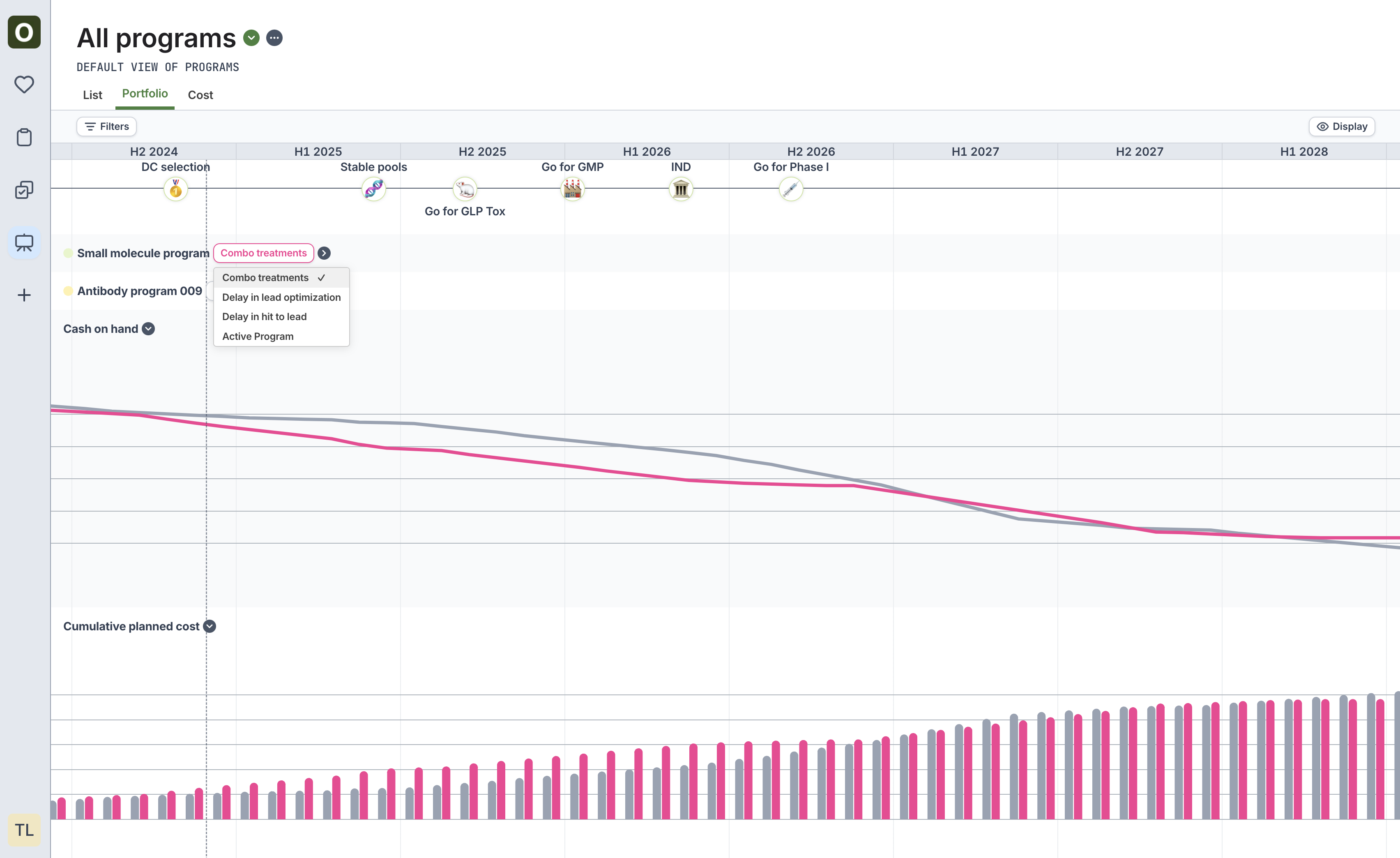
If a [scenario](/programs/scenario-planning) has been configured for a Program, visualize the impact of these scenarios against other programs in the portfolio.
1. Navigate to the **Programs** sidebar icon, and click the **Portfolio** tab.
2. Click on **Active program** next to the program name, and choose the scenario to visualize.
3. View the cost comparison at the bottom of the portfolio page to see a side-by-side comparison of cost for all active programs vs. the selected options.
Save this as a [saved view](/find-organize/saved-view) to come back to this visualization